See what each
client project leaves.
Track billed fees and direct delivery costs. Understand contribution by client, project and reporting month.
US$49 one-time purchase
Digital download
US$49 is the base price; applicable location-based sales tax may be added at checkout. Payhip shows the final total before payment.
Sold by Ryan Quinlan. Payhip handles checkout and delivers the buyer ZIP after purchase. Review the final total before payment.
One workflow.
Four connected sheets.
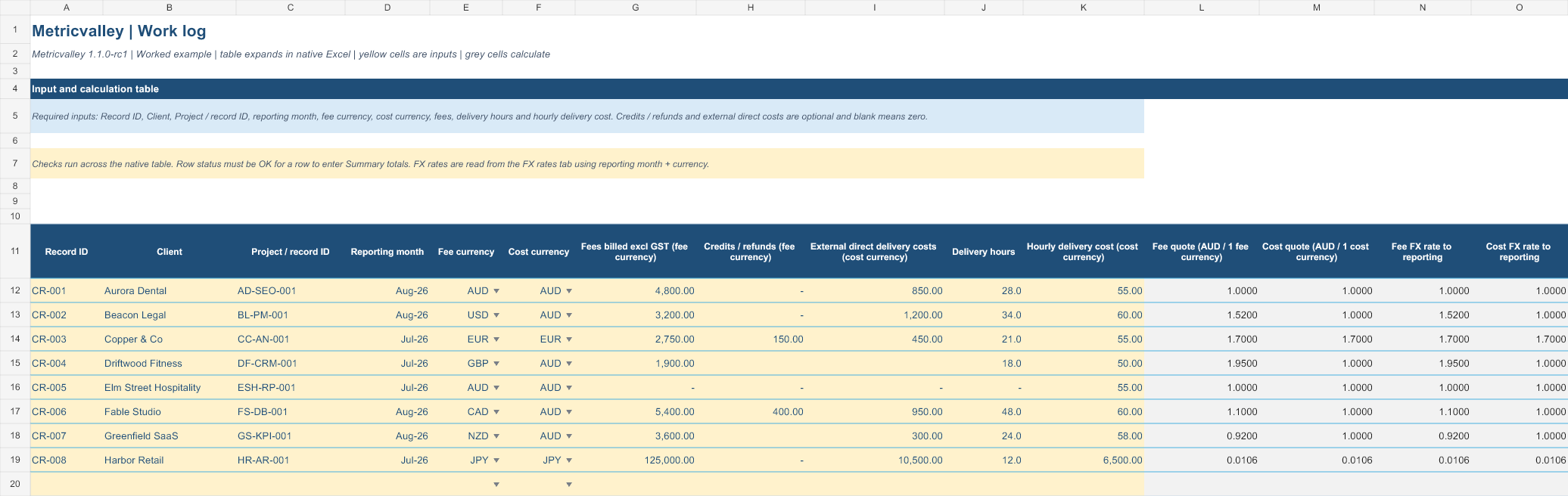
- Work log
Enter fees, time and delivery costs.
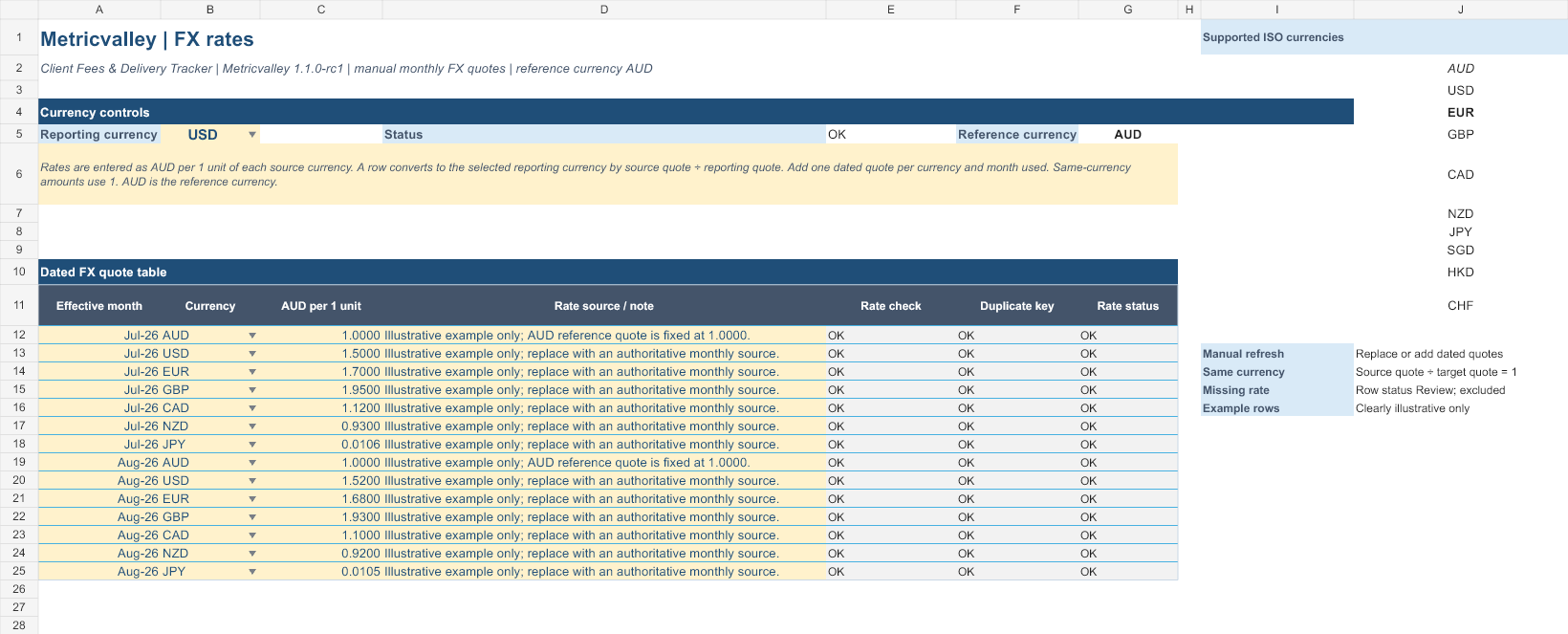
- FX rates
Convert mixed currencies using monthly rates.
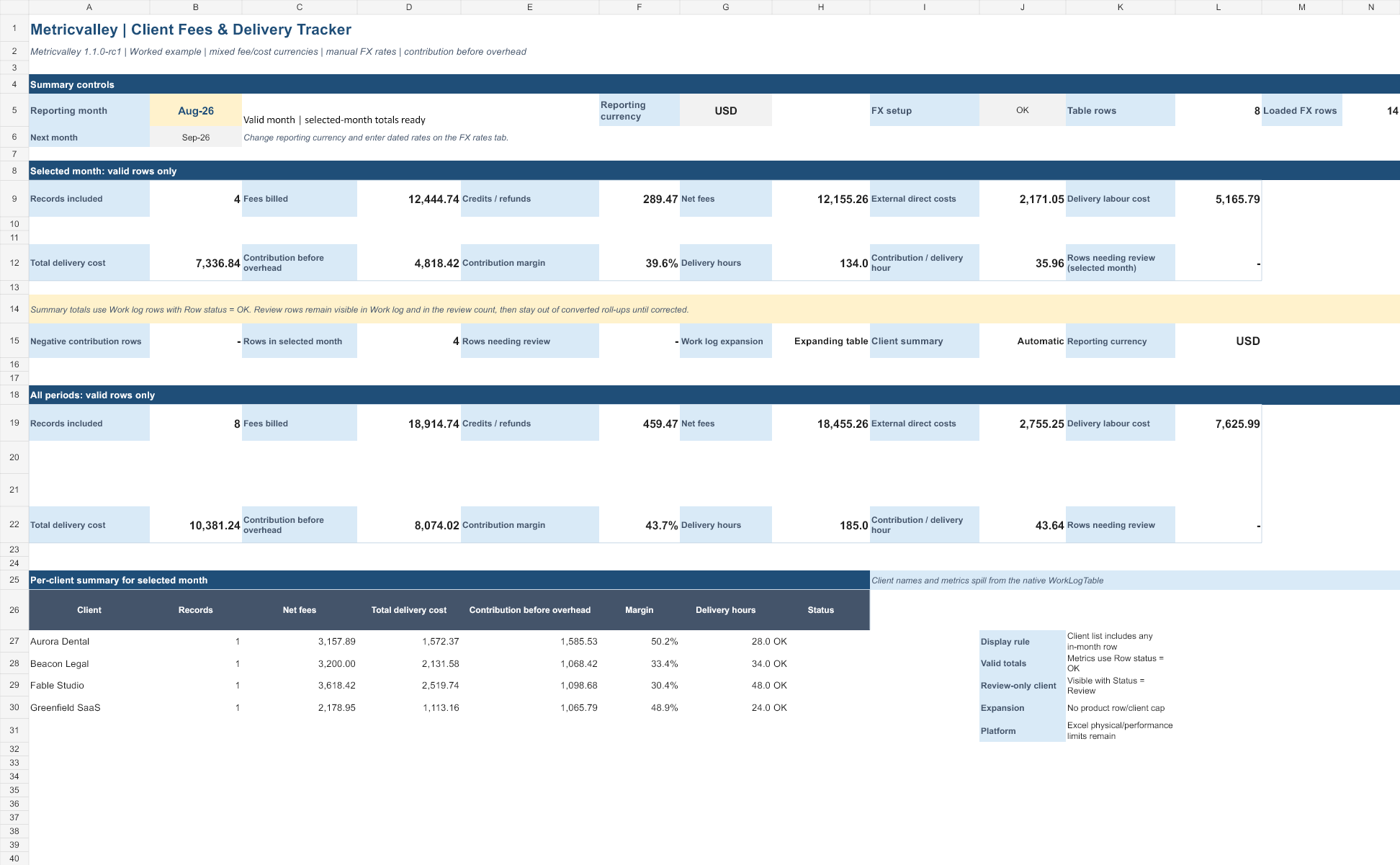
- Summary
Review contribution by month and client.
- Guide
Follow the setup steps and definitions.
A clear start.
A reusable system.
- Blank XLSX workbook for your business
- Demo XLSX workbook
- START-HERE.html buyer guide
- Single-business internal-use terms
- Quick start, metric dictionary, compatibility notes and release notes
Four tabs: Summary, Work log, FX rates and Guide. Keep a backup, enter your records, then review the summary.
- Capacity
- Expanding work-log table and automatic client summary. No fixed template cap; Excel and device limits apply.
- Currency
- Mix fee and cost currencies, then select a reporting currency. Enter monthly exchange rates manually in the FX rates tab.
- Inputs
- Fees excluding sales tax, credits/refunds, direct external costs, delivery hours and hourly delivery cost. Select separate fee and cost currencies.
- Calculations
- Net fees, internal delivery cost, contribution before overhead and contribution margin.
- Operation
- Manual input. No macros, external connections or automatic refresh.
Look inside the workbook.
Explore the workbookSummary
Work log
FX rates
Guide
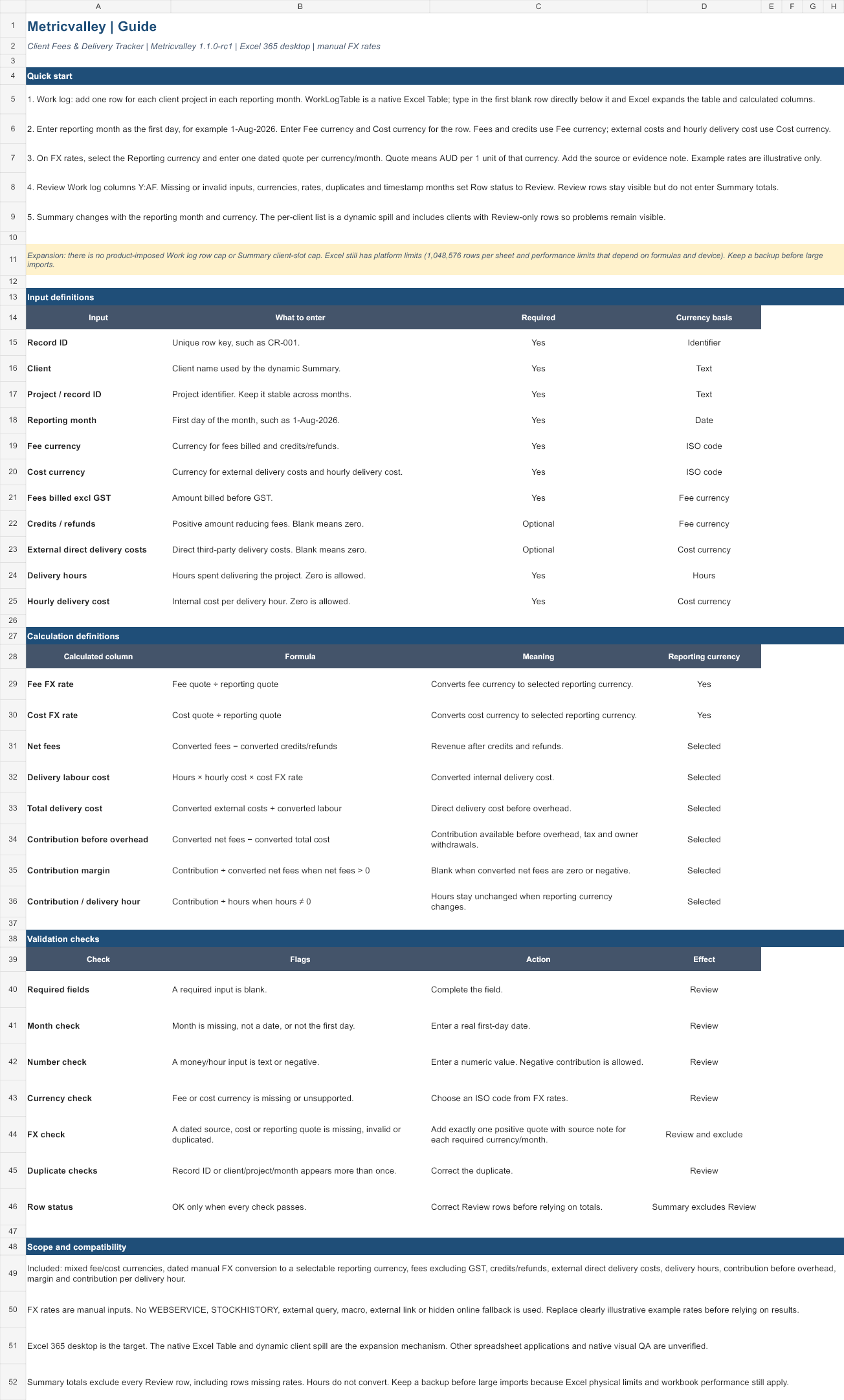
Actual rebuilt workbook views, rendered by software from release 1.1.0-rc1. Demo data and illustrative exchange rates.
From download
to a clearer view.
Payhip handles checkout and delivers the buyer ZIP after purchase.
- 01
Purchase and download
Use the Payhip checkout and download the buyer ZIP after purchase.
- 02
Read the guide, make a copy
Unzip locally. Review START-HERE, open the demo workbook, then make a working copy of the blank workbook.
- 03
Enter, review, compare
Enter one client/project/month record per table row, choose fee and cost currencies, and supply monthly FX rates. Resolve Review flags and select a reporting month and currency. Clients appear automatically.
Check the fit.
Useful for small agencies that can enter fees and direct delivery costs manually and want a contribution view.
Contribution is before overhead. It is not net profit, cash flow, an accounting system or accounting/tax advice.
Spreadsheet apps
Eighteen targeted calculation checks passed in Excel 365 desktop. Representative views of all four sheets were reviewed. The nine-page A3 landscape printout of the worked example was reviewed too. Print layout can vary by device and settings.
Use Excel desktop for this release.
Excel web/mobile, LibreOffice and Apple Numbers have not been verified. Metricvalley is independent of Microsoft and Google.
Licence & support scope
One purchasing business’s internal use. Editing, backups and sharing reports/results are permitted within the licence. Editable templates cannot be passed to other businesses.
Custom setup, data imports, formula redesign, accounting/tax advice and ongoing reporting are not included.